Pipeline Stages
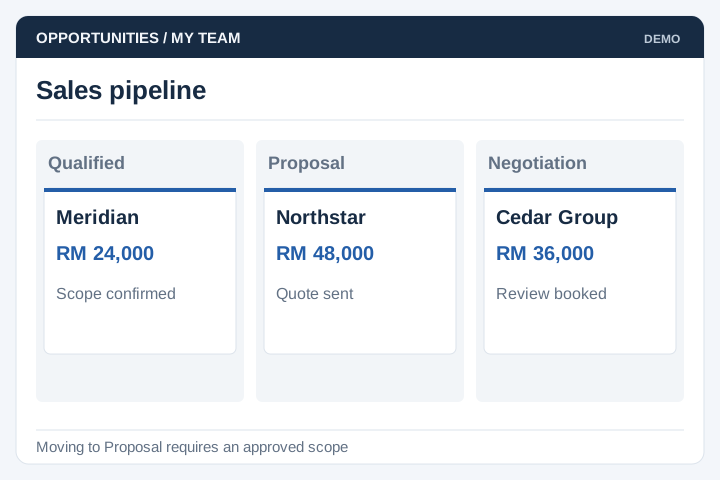
Define sales stages, required fields and the conditions for moving a deal forward.
Solution
UNO develops CRM systems for businesses with sales processes that need custom stages, quotations or reporting. Sales and management teams can work from agreed account records, activity history and pipeline definitions.
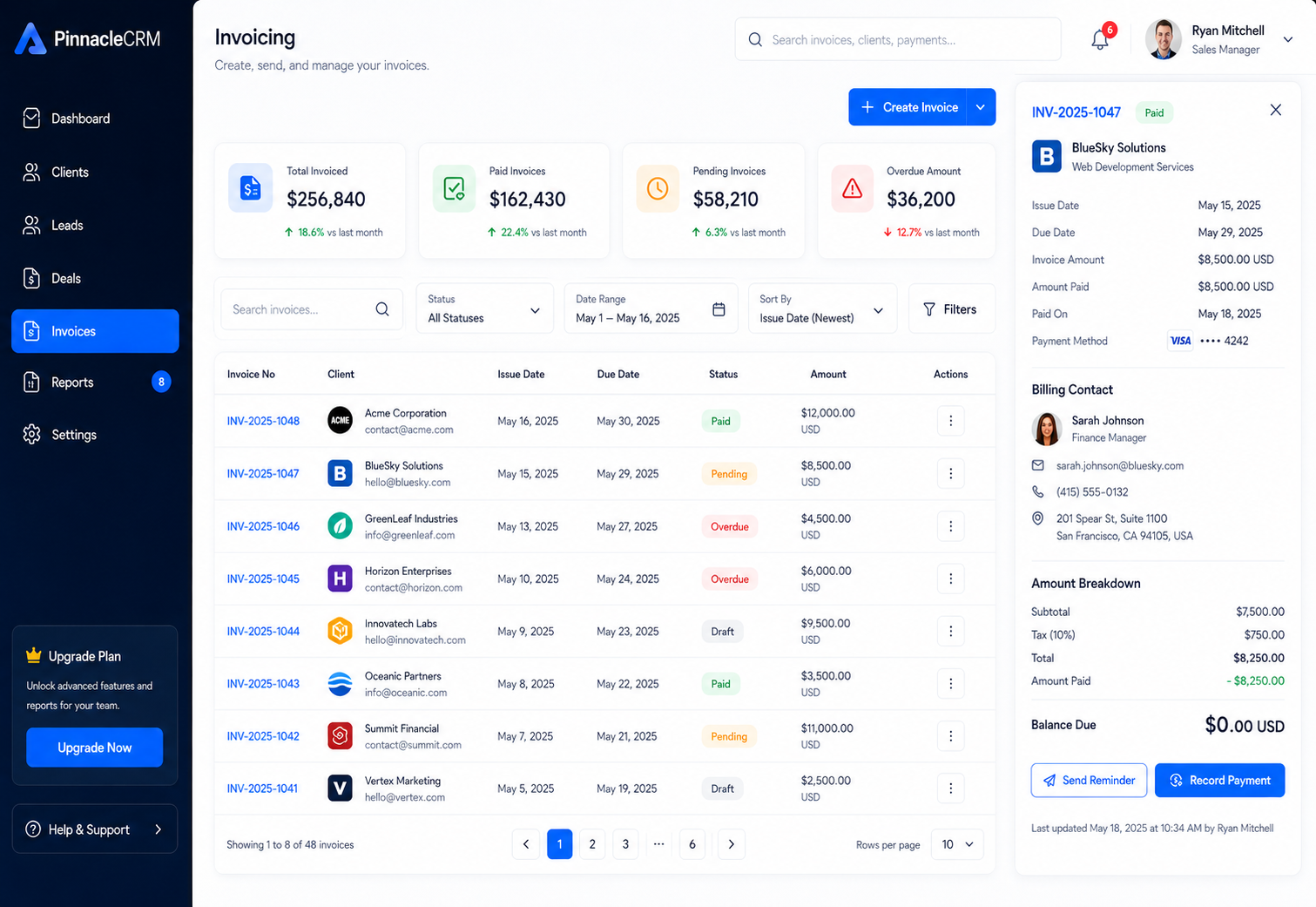
Illustrative interface previews with sample data. Final screens are designed around your requirements.
Define sales stages, required fields and the conditions for moving a deal forward.
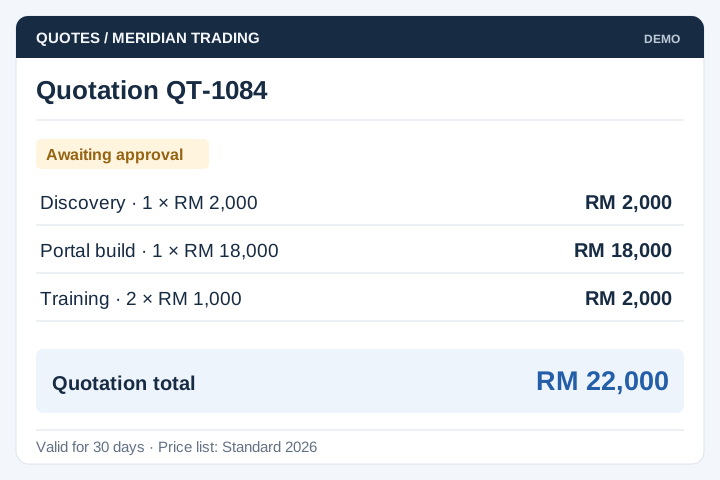
Prepare quotations using approved products, prices and authorisation limits.
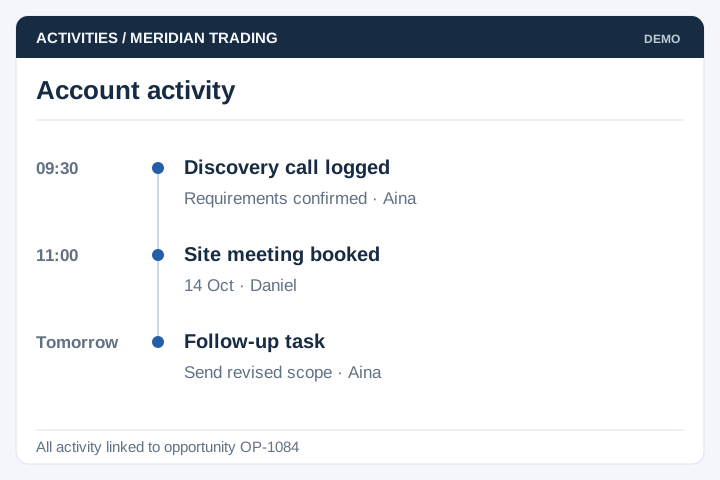
Record calls, meetings and follow-up tasks against the relevant account or opportunity.
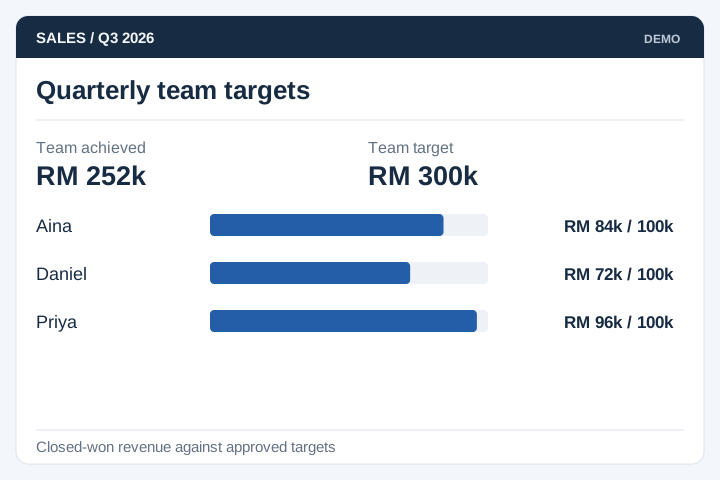
Compare individual and team activity against agreed targets and reporting periods.
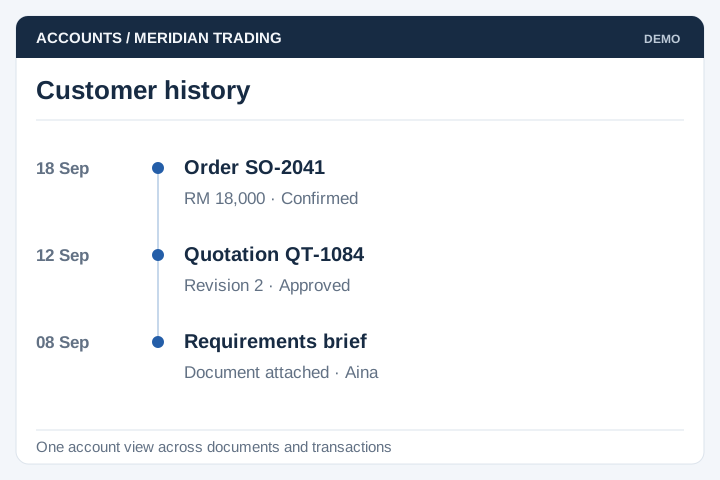
Bring the selected customer records, documents and transaction references into one view.
Report pipeline value, ageing and conversion using definitions management has approved.

A dashboard is only useful when sales and management use the same definitions. Establish opportunity ownership, stage criteria and reporting periods before migrating historical data.
A staged delivery process with agreed scope, review points and acceptance criteria.
Review the current workflow, users, records and systems with the people responsible.
Agree the scope, screen flows, integration approach and acceptance criteria.
Develop and test the agreed workflows, including permissions and exceptions.
Plan rollout, training, handover and the support arrangements for live use.
A useful CRM follows your sales decisions rather than simply storing contacts. Compare the requirements with an existing CRM before commissioning custom development.
Define who owns each account or lead, how it is reassigned and which activity should trigger the next task. Preserve the relevant contact history.
Specify when a deal advances, which quotation changes need approval and how lost or inactive opportunities are recorded.
Agree how pipeline value, conversion and overdue actions are calculated. Test the dashboard against a small set of records whose expected results your team can verify.
A custom CRM dashboard is useful when your sales process or reporting does not fit your current tools. It can bring enquiries, follow-ups, quotations and opportunity stages into one view. Start with the decisions managers need to make, then define the records and update responsibilities behind each figure.
Yes. Website forms can feed the CRM through an agreed connection. We define required fields, lead assignment and duplicate handling so a repeat enquiry does not automatically create a second customer record. Other enquiry sources depend on their integration options.
Yes. Sales staff can have access to assigned accounts, while managers see the teams or branches they oversee. We need to agree access to contact details, notes, forecasts and exports rather than giving every user the same view.
Spreadsheet records can be assessed for migration. The work includes matching columns, checking duplicates and deciding what to do with missing or outdated data. A trial import lets your team review the results before the final transfer.
Define each stage and the evidence needed to move an opportunity into it. Agree whether forecasts use quoted value, expected revenue or weighted probability, and how lost or delayed deals are treated. Dashboard totals are only useful when staff use the same definitions.
Quotation versions and follow-up tasks can be included in the customer history. Keep the amount, validity date and status of each quotation clear so an older version is not mistaken for the accepted one. Assign each follow-up to a person and make overdue tasks visible.